
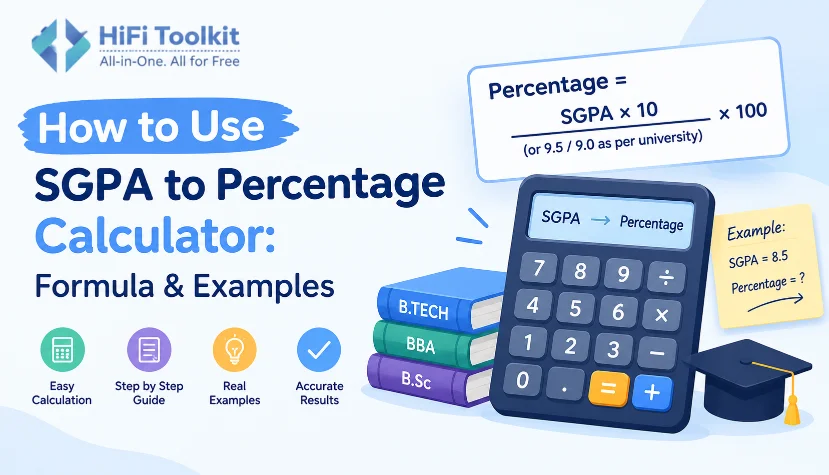
It is not always easy for a person to calculate their percentage based on the SGPA calculated per semester as each of the semesters may be of varying credit hours. In such a case, an SGPA to Percentage Calculator can help greatly.
HifiToolkit SGPA to Percentage Calculator makes it possible to enter the SGPA of several semesters, enter the credits and calculate the credit-based cumulative CGPA, which will finally be converted to percentage.
Use the SGPA to Percentage Calculator
This guide gives detailed information on how the calculator operates, how the semester data entry process is done, and how credit-weighted CGPA and the available percentage conversion formulas operate.
What Is SGPA?
SGPA means Semester Grade Point Average. It is a measure of a student’s performance for a certain semester.
For example, you may have:
- Semester 1 SGPA: 8.2
- Semester 2 SGPA: 8.5
- Semester 3 SGPA: 7.9
- Semester 4 SGPA: 8.4
Each semester may also contain varying amounts of credits. For this reason, it may sometimes not be accurate to take the average of all SGPAs.
It is at this point that the need for CGPA calculation base on credits becomes evident.
Check SGPA vs CGPA
SGPA and CGPA are similar but distinct.
SGPA: The grade point average for a single semester.
CGPA: The cumulative grade point average over multiple semesters.
If the semesters have unequal credits, then CGPA should be calculated through the credit-weighted system prescribed by your institution in most cases.
For instance, the VTU regulations define SGPA on the basis of course credits and grade points, and the VTU regulations also give examples of credit-weighted CGPA.
How to Use the SGPA to Percentage Calculator
Using the HifiToolkit calculator is simple.
Step 1: Enter Your Semester SGPA
Enter the SGPA shown on your semester marksheet.
For example:
| Semester | SGPA |
|---|---|
| Semester 1 | 8.2 |
| Semester 2 | 8.5 |
| Semester 3 | 7.9 |
| Semester 4 | 8.4 |
You can continue adding semesters depending on how many semesters you have completed.
Step 2: Enter Your Credits
Enter the credit hours associated with each semester.
For example:
| Semester | SGPA | Credits |
|---|---|---|
| Semester 1 | 8.2 | 20 |
| Semester 2 | 8.5 | 20 |
| Semester 3 | 7.9 | 22 |
| Semester 4 | 8.4 | 22 |
Credits are important because the calculator uses them to calculate the credit-weighted cumulative CGPA.
Step 3: Add Additional Semesters
To add additional semesters, click on “Add Semester.”
The calculator works well with several semesters and hence can be helpful for students wishing to calculate their entire CGPA of the degree after several semesters.
Alternatively, you may wish to add another semester using “Add Another Semester” below the calculator.
Step 4: Maintain Credit-Weighted Calculation On
The calculator provides an option called “Credit-Weighted Calculation (Recommended).”
When you enable this option, the SGPA of each semester is calculated based on its credits.
The formula used in calculating is as follows:
CGPA = Σ(SGPA × Credits) ÷ Σ(Credits)
Therefore, a semester having 24 credits influences the cumulative score more than a semester having 16 credits.
Step 5: Choose the Percentage Formula
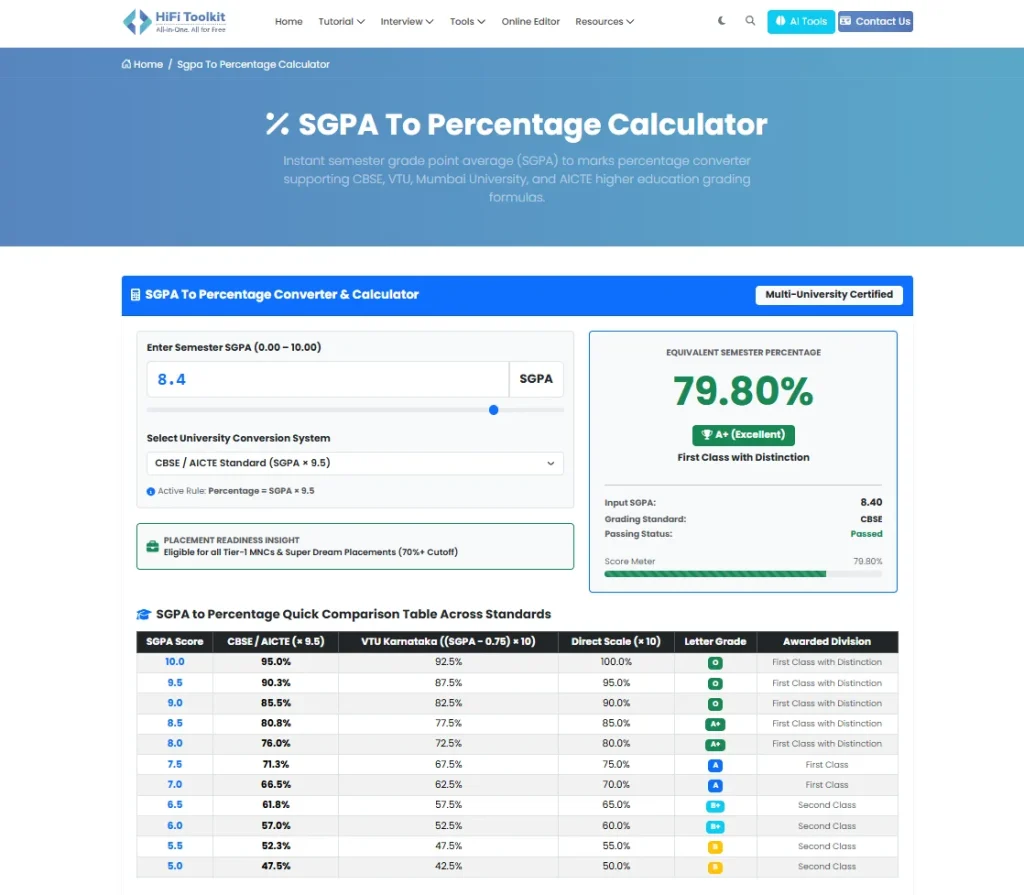
The percentage calculator provides you with a Percentage Formula drop-down list containing these choices:
CBSE / AICTE (CGPA * 9.5)
VTU Karnataka ((CGPA – 0.75) * 10)
Direct Scale (CGPA * 10)
Choose the right one based on your university, program, and grading scheme.
How Credit-Weighted CGPA Is Calculated
Suppose a student has the following results:
| Semester | SGPA | Credits | Weighted Points |
|---|---|---|---|
| 1 | 8.2 | 20 | 164.0 |
| 2 | 8.5 | 20 | 170.0 |
| 3 | 7.9 | 22 | 173.8 |
| 4 | 8.4 | 22 | 184.8 |
| 5 | 8.7 | 24 | 208.8 |
| 6 | 8.9 | 24 | 213.6 |
| 7 | 9.1 | 20 | 182.0 |
| 8 | 9.3 | 16 | 148.8 |
The calculator adds the weighted points and divides them by the total credits.
Total Credits = 168
The resulting accumulated CGPA is about:
8.61 / 10.00
This is the main feature of your calculator: students don’t have to calculate the weighted average themselves.
CBSE / 9.5 Conversion Calculator Formula
The calculator also offers you the CBSE / AICTE (CGPA × 9.5) choice.
The formula is:
Percentage = CGPA × 9.5
If CGPA is 8.0:
8.0 × 9.5 = 76%
As mentioned on the official CBSE CCE site, 9.5 × CGPA is an indicative conversion into the overall percentage.
But the rule of converting the CGPA into percentage should be checked out from the relevant educational institution because the registration process on the site AICTE suggests that students with CGPA need to use their university rule of conversion.
VTU SGPA to Percentage Formula
Moreover, the converter offers VTU Karnataka formula for CGPA:
Percentage = (CGPA − 0.75) × 10
If, for instance, your CGPA is 8.20:
(8.20 − 0.75) × 10 = 74.5%
This formula is officially provided by VTU for schemes of 2015, 2017, 2018 years.
Examples of calculation of the CGPA in accordance with semester performance are given in VTU materials.
As schemes in universities vary, it is recommended to check the relevant formula of conversion of CGPA into percentage.
Direct Scale Formula: CGPA × 10
Another feature provided by this calculator is the use of a Direct Scale Formula (CGPA × 10).
The direct scale formula is given below:
Percentage = CGPA × 10
Example:
CGPA = 8.61
8.61 × 10 = 86.1%
This formula may be used in case your institution directs you to convert your CGPA into a percentage by simply multiplying the 10-point CGPA by 10.
This should not be taken to mean that this is the formula used universally at all universities.
Why use the Credit Weighted SGPA Calculator?
An average is likely to yield an inaccurate cumulative SGPA where the credit values of semesters are not equal.
Let’s take the following example of two semesters:
- Semester 1: SGPA 8.0, Credit Value 20
- Semester 2: SGPA 9.0, Credit Value 40
The average would be:
(8.0 + 9.0) / 2 = 8.5
However, credit weighted calculation would yield:
(8.0 * 20 + 9.0 * 40) / 60 = 8.67
That is why the Credit Weighted Calculation (Recommended) function is especially helpful in the calculator’s results for multiple semesters.
SGPA to Percentage Converter for College Students
The SGPA to Percentage converter is helpful when you want to find your percentage in situations like:
Admissions in colleges & universities
Higher studies
Scholarships
Job applications
CV creation
Academic record
Placement application
The tool is helpful for those students whose mark sheet contains SGPA semestral wise instead of percentage.
Calculate your total CGPA through your semester SGPA and credit points and then use the percentage calculation formula defined by your institution.
No, SGPA x 10 is not a universal percentage conversion formula. Institutions may employ different conversion formulas according to their academic scheme.
The percentage will depend on the conversion formula used. As per the direct conversion scale,
8.5 x 10 = 85%
As per the VTU conversion formula,
(8.5 – 0.75) x 10 = 77.5%
Entering credits will enable the calculator to calculate your weighted CGPA rather than the simple average of all semesters SGPA.
Yes, enter SGPA and credits of each completed semester and keep ‘Credit Weighted Calculation’ active.
Use the formula that is recommended for use by your university or program. You can also check the marksheet of your institution for instructions on the percentage formula to use.
Calculate SGPA to Percentage Online
Your CGPA calculation does not have to be tedious or complex. Using the HifiToolkit SGPA to Percentage Calculator, enter your SGPA along with the credits for each of the semesters, calculate your credit-based CGPA, and convert it with the help of the percentage formulas available online.
Try the SGPA to Percentage Calculator
In the case of official use of the calculator, it will provide a mathematical conversion from the given formula. Be sure to check that the formula selected by you is the one used officially by your university.
